Start from a reference photo
Attach a photo you have permission to use, then ask ChatGPT to preserve the person's recognizable features while changing the visual treatment.
 AI Avatar Library
Guide, prompts, and free images
Create a custom profile image in ChatGPT from a reference photo or a text-only prompt, then refine it for a clean square crop. Prefer a ready-made face? Browse the free fictional avatars below.
AI Avatar Library is an independent resource and is not affiliated with OpenAI.
Yes. ChatGPT Images can create a new avatar from a text prompt or edit a photo you upload. Ask for a square profile image, describe the style, background, expression, and visible details, then refine one change at a time and save the finished image.
This is an independent resource and is not affiliated with OpenAI. The downloadable gallery contains synthetic people only; do not present them as real customers, employees, or account holders.
Attach a photo you have permission to use, then ask ChatGPT to preserve the person's recognizable features while changing the visual treatment.
Describe the subject, crop, expression, background, lighting, and visual style when the avatar should not resemble a real person.
Use the synthetic gallery when you need an immediate profile image for a prototype, sample account, dashboard, or chat mockup.
Step by step
Use ChatGPT Images to create a fictional profile picture from text or transform a photo you have permission to use.
Start in a ChatGPT conversation or open Images, then describe the profile picture you want to create.
Start from text for a fictional person. Upload a clear photo you may use when the avatar should preserve a real person's likeness.
Ask for a 1:1 square, centered head-and-shoulders image that stays readable in both circular and square avatar slots.
Specify style, expression, lighting, wardrobe, and background. For a photo edit, list the identity details that must stay unchanged.
Change one detail per follow-up, inspect the small-size crop, then download the final image from ChatGPT.
Interactive tool
The prompt updates locally in your browser. No form value or reference image is uploaded by this page.
Copy-ready examples
Use one as a starting point, then change only the details that matter for your profile.
For chat accounts, team mockups, and business profiles
For transforming a reference image you have permission to use
For friendly community and social profiles
For product interfaces and community profiles
Before you download
A portrait can look polished at full size and still fail inside a small account menu. Inspect these four details before keeping the final image.
Preview the image at about 48 pixels. The eyes, expression, hair outline, and face shape should still read clearly.
Keep space above the hair and beside the shoulders so a round profile mask does not cut into the subject.
Choose a plain or softly detailed background that contrasts with the hair and clothing instead of blending into them.
For photo-based edits, compare facial structure, skin tone, hairstyle, and expression with the source before saving.
Local crop check
Compare a circular or square crop at 32 to 128 pixels. Choose a gallery example or load an image from your device; local files stay in your browser.
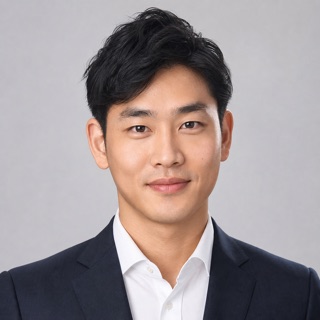
Previewing: Editorial headshot 01
Free image collection
These portraits are ready-made synthetic people for mock profiles and sample accounts. They are not images of real individuals.


Common questions
Yes. You can ask ChatGPT to generate an image in natural language, or attach a reference image when you want it to guide an edit. For an avatar, request a square close-up and describe the style, background, expression, and details that must remain unchanged.
Attach a clear portrait that you have permission to use. Ask for a square profile avatar, name the visual style, and explicitly preserve your facial structure, skin tone, hair, expression, and crop. Refine one change at a time if the likeness starts to drift.
OpenAI says ChatGPT Images is available on all ChatGPT tiers. Usage limits and feature availability can vary by plan, so check the current Images help article if you reach a limit.
No. The builder creates a structured prompt locally in your browser. Paste that prompt into ChatGPT to generate the image, or download a ready-made synthetic portrait from the gallery.
Include the use case, subject or reference-photo instructions, square crop, visual style, expression, lighting, wardrobe, background, and a short exclusion list for text, logos, watermarks, and face-obscuring elements.
OpenAI's public Images help explains how to create, edit, save, and manage images, but it does not document an account-profile image upload setting. This guide creates a downloadable avatar image; it does not change the profile icon on your ChatGPT account.
ChatGPT Images creates and edits still images. You can make the profile portrait in ChatGPT, but animating the face, adding speech, or producing a talking-avatar video requires a separate video or avatar tool.
Choose a style that remains recognizable at small sizes. Professional profiles usually benefit from a simple background and natural lighting; community profiles can use illustration or 3D styling as long as the face stays clear.


